Designing for Temp setpoints


#1

I have steam heat + boiler for my heating system. During the colder months, about once a week, my low water cutoff will shut down the boiler until I refill it with enough water for operation. I get no notification of this. It’s a little orange LED that lights up on the boiler itself. Only way I find out about it is if the house is uncharacteristically cold. It sucks. I’m trying to design a notification using webcore to alert me sooner.

I’d like to send a PUSH Notification when my thermostat’s (CT100) operating state is “Heating” but the current temperature is 2 degrees or more below the current set point.

Am I designing this correctly?

#2

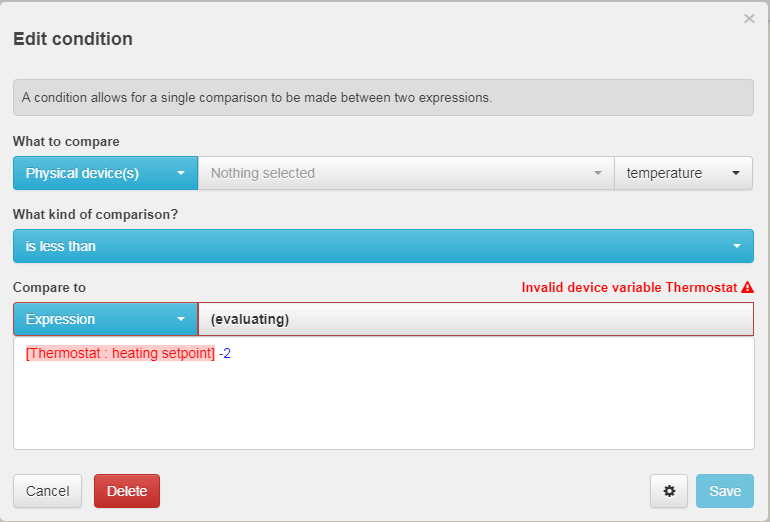
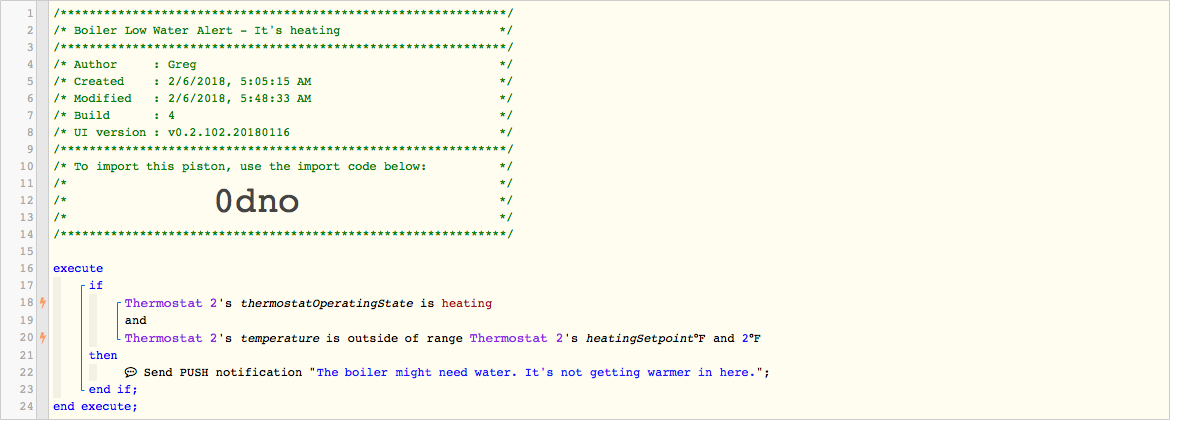
I don’t have a thermostat in webCoRE so it’s a bit hard for me to show, this, but click on your 2nd condition with the “outside of range” and change it to the example below. The range in your current piston is absolute - meaning it’s from 2 degrees up to your heating setpoint. And I doubt you want the temperature to drop below 2 degrees before you get notified. :slight_smile:

I don’t know if your device is named Thermostat or something else, but choose your thermostat from the physical device list, then type your device name where I have ‘Thermostat’ and you should be all set.


#3

Thank you @michicago! Exactly what I was looking to do.

It occurs to me now that when I transition from Away (where the set point is naturally lower) to Home, This condition will be met, which is not ideal.

Any thoughts on how to mitigate a false positive like that?


#4

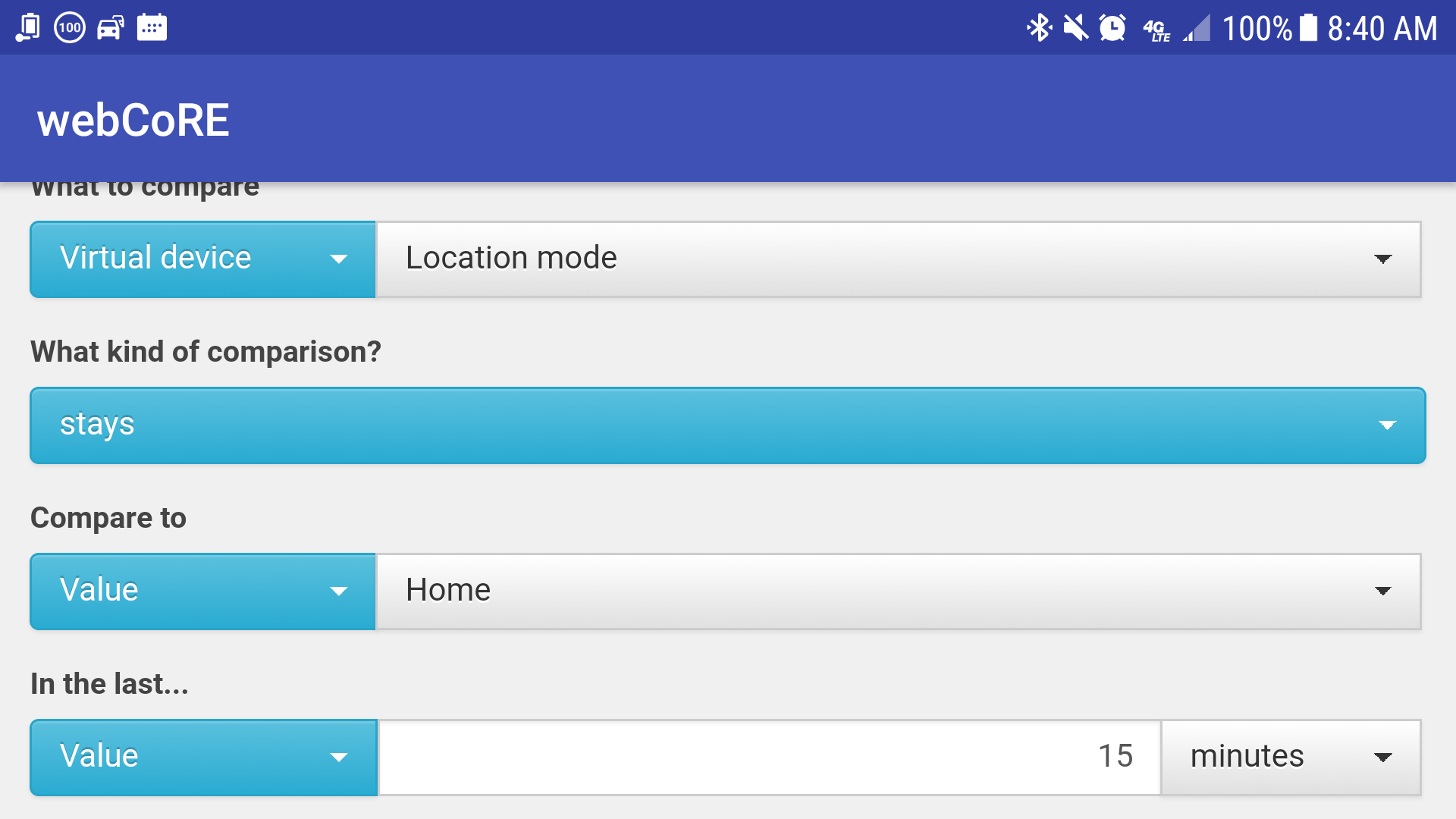
You can add another condition in your IF statement along the lines of “and location mode has not changed to away in the last xx minutes.” The past tense triggers are what you’ll want to use for that.


#5

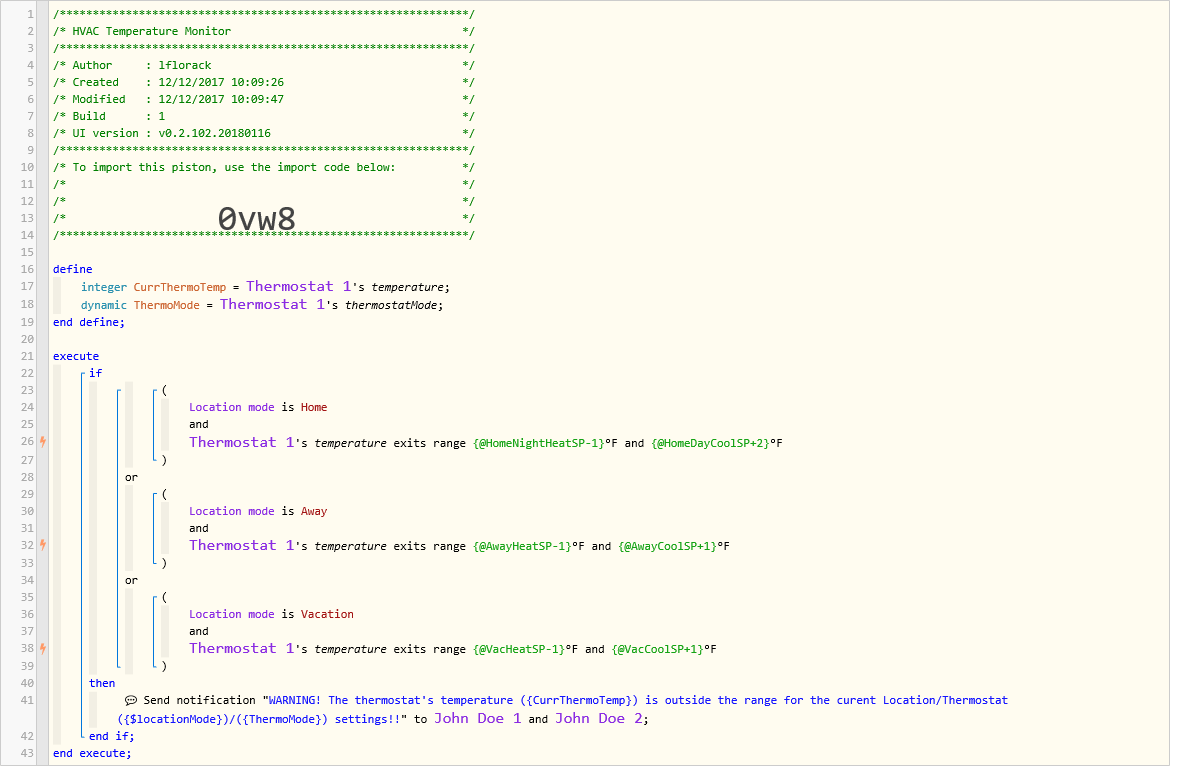
As an example of a temperature monitor based on home mode, here’s what I use. Maybe it can help with ideas along with those already presented:


#6

Ah thank you @michicago and @lflorack. I’ll give those a shot.


#7

You’re welcome. Forgot to mention that, in my example piston, (if it’s already obvious, I’m sorry) the use of the ‘exits range’ condition is specifically used to avoid false warnings. When changing temperature ranges due to mode changes, IS outside of the new range would trigger a false warning, while EXITING the range would not.


#8

Just closing the loop on this one. This should work nicely. Thanks for the help!


#9

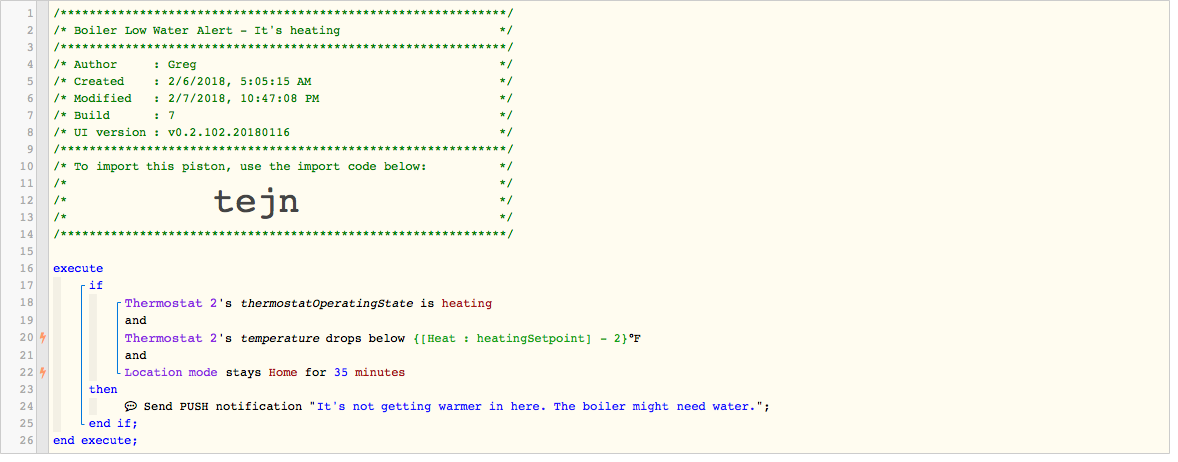
One drawback to that one is you will not receive the warning when you’re hub is in Away mode (or anything besides home). There’s an easy fix to that if you want to change it with your existing piston, or the one posted by @lflorack works in Home, Away, and Vacation modes.


#10

Ah you’re right. I think I just remove that condition altogether. The other condition does the trick, particularly “drops below”.

Thanks.