Door & Lock Announcement Issues


#1

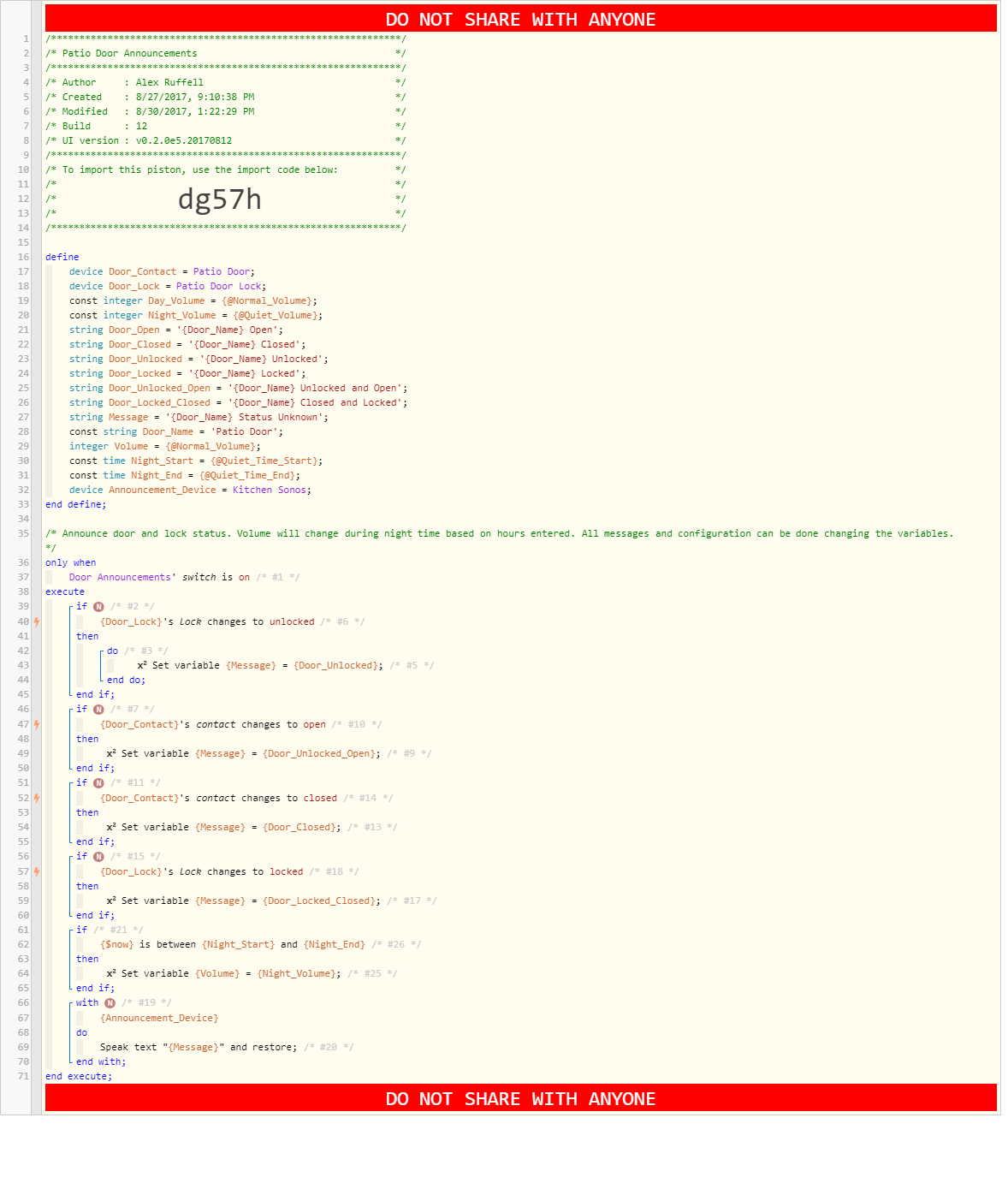
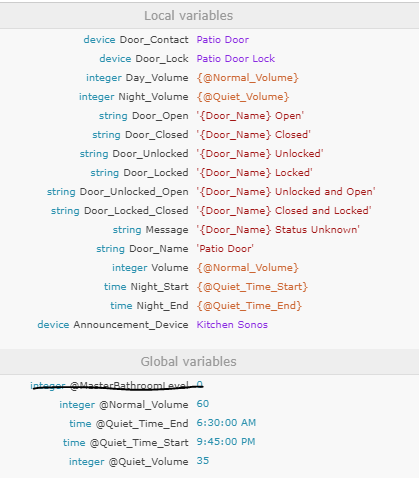
I moved the announcements for this door from BigTalker to webCore due to back to back messages cancelling each other and due to the inability to consolidate unlocked and open and locked and closed in a single message. Four messages for each door operation were a bit too many.

The piston below resolves some of those issues however at times it skips reporting a status or it stutters (starts and then stops before finishing even half of the message).

I have multiple door statuses combining contact and lock states so I configured them as separate IFs in logical order hoping that this way I’d catch the most recent status, or the next most recent one if something got skipped.Not sure whether it makes sense but it did while writing the piston and it seems to work except for the above mentioned issues.

I set the most important statements to do not cancel and others not since setting them all to do not cancel caused the whole thing to work even worse for some reason.

Any suggestions on how to improve this code and to maximize the chances of the correct status being announced? Is there some way to account for the fact the contact status will update faster than my Schlage lock status?
#2

image


#3

Add a delay to force the right sequence. I would start with milliseconds and expand until you get it right. You also need to account for server latency.

Also, you may want to create a first instance variable and delay subsequent messages to prevent overlapping (E.G. door open then closes)

I have done this in a stand alone app, but the logic can be easily integrated in a piston…


#4

In my testing I had added a delay after each message variable change to give the next event time to happen. For example if I unlock the door I will likely open it soon after so I update the variable and then had a delay. If the door is opened within that delay then it should get caught by the next IF and therefore the variable gets updated to the new appropriate message (unlocked and open). I did not do much testing after a few negative results but will gladly go back to do some. Could you confirm where I should place the delay?

Is your second comment recommending I create a buffer of sorts? Capture the first and second messages and then play them in sequence with a delay?


#5

Yeah, if you run into truncated messages, then add a new var firstMessage = true right before the speak message. And then another if to cancel. You can add the delay when you play the message

If firstMessage = true
then
wait by x (to allow the full message to play)
speak text …
else
speak text …


#6

I’ll try that. Thanks!