Lighting turning off and on when motion detected


#1

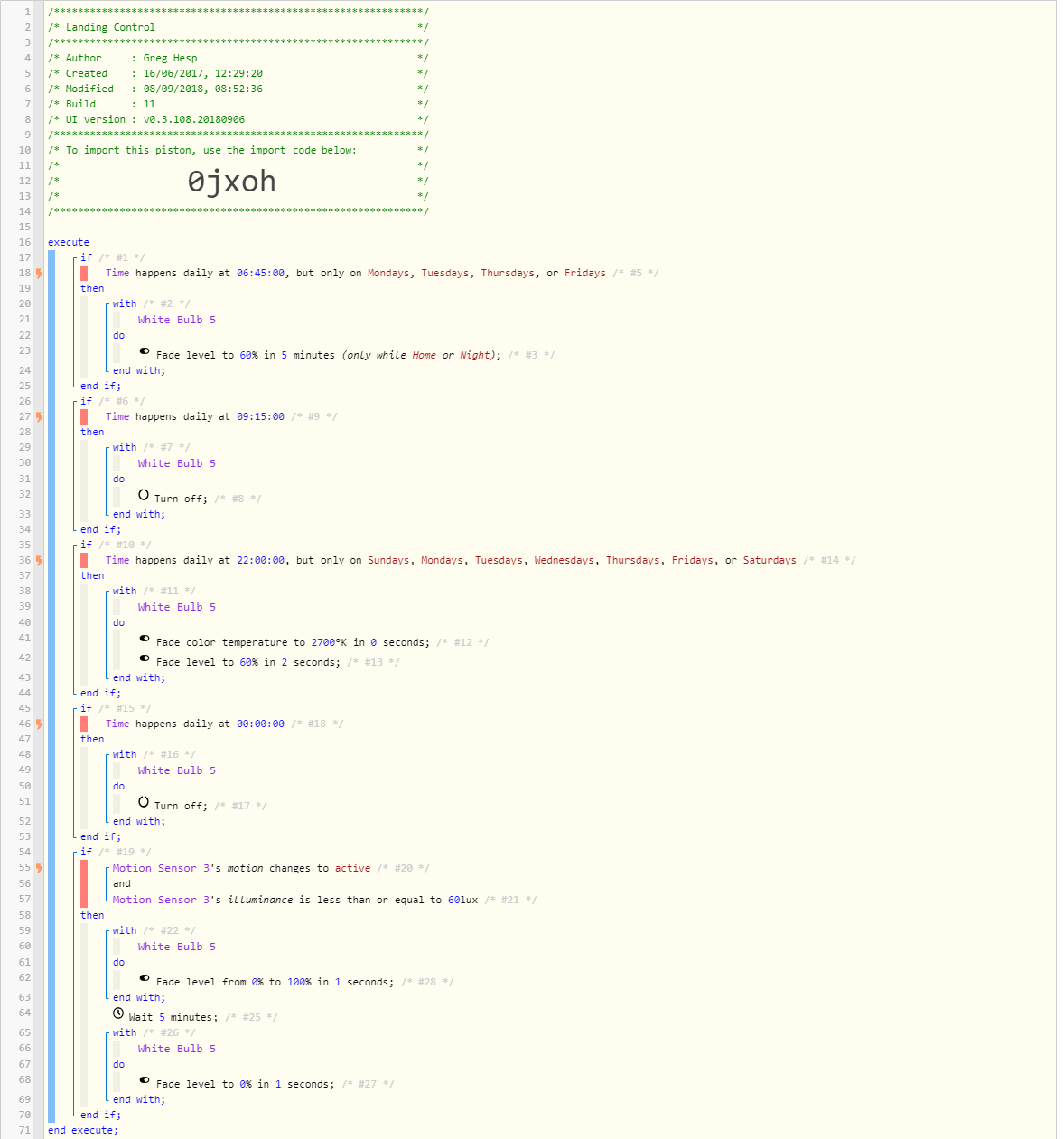
I’ve got the below light which is setup to come on a schedule as below.

What I am trying to achieve here, is so that if motion is detected (last statement) the light turns on, and then turns off after 5 minutes. This should only happen if the light isn’t turned on via a schedule

What I’m currently finding though is that when the light is on, if motion is detected, the light turns off and then back on and I can’t figure out why. Any ideas?
#2

Try changing to.
IF
Motion is active
AND
Lux is
THEN
WITH (Set TCP to never)
Dimmer
DO
Set Level 100%
Wait 5 minutes
Turn Off


#3

Hmm unfortunately that hasn’t changed anything


#4

Hmm, one thing you can try is add another statement to check current level, if greater than 0% then do your Fade from current level to 100, if not, then do the Fade from 0 to 100.


#5

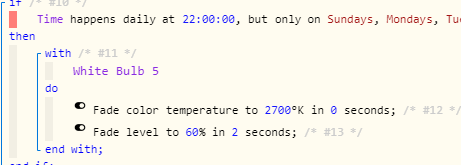
This is probably not related but why are you doing this.
image
Why not ‘Set Color’ to… You are doing it in 0 seconds anyway.
Same for the fade. Set to 60%. Again is it worth fading up over 2 seconds.
Just a thought…

PS. Can you post your updated piston.


#6

I agree with @bobbles… A short fade is pointless, and a long fade is asking for trouble.
Whenever possible, I try to avoid using fades at all.
(Set color, Set level, Set temperature is the more reliable methods)

On those extremely rare occasions where I must use a fade, keeping them in the 5-10 second range seems to be optimal.

(the logic is: long fades can NOT be canceled, so once they start, they will keep chugging along until they complete the cycle. Even if you manually try to override it)


#7

This bulb is an Osram bulb, and I’ve noticed that if you just say Turn off, set colour etc, what happens is it does it instantly. If you set a fade, even at 0 seconds, the light will transition to the new state like the Hue bulbs do automatically.

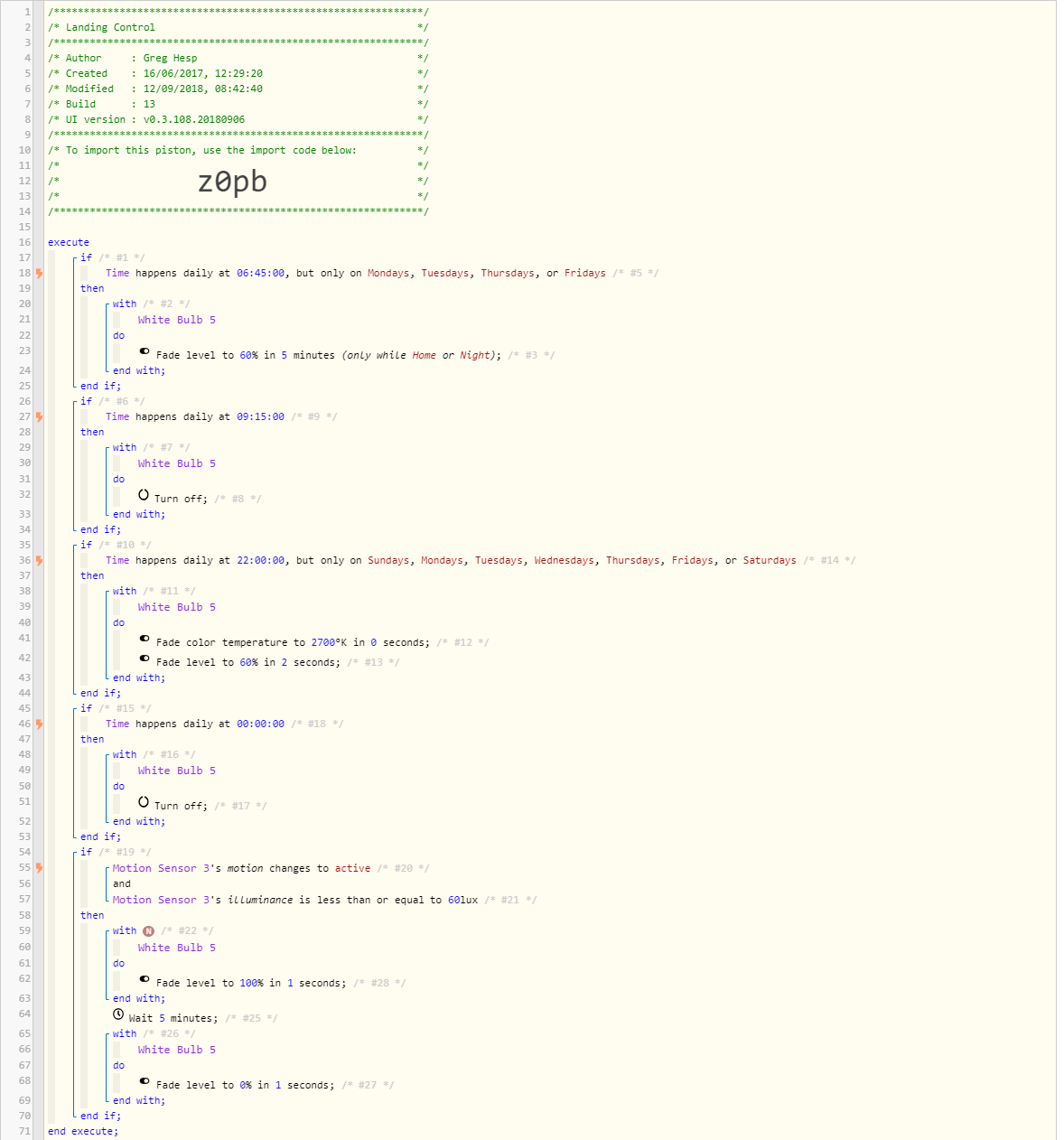
I’ve changed my piston to:


#8

Why didn’t you try what I said above?


#9

I also want to add to the confusion lol, the reason I suggested…

You mentioned the if the lights are on and motion is detected, the light turns off and then back on… the piston is doing what line 62 says… Fade level from 0% to 100%. If it’s currently at 50%, it will drop to 0% first then do the fade.


#10

Good catch @eibyer!

I believe setting the command to:
Fade level to 100%
Will start the process at it’s current level


#11

Yep that was the issue, completely missed that. Thanks!